

A keyboard can be described as “75%” and still surprise you when a keycap set arrives. The percentage tells you roughly how compact the board is. It does not guarantee the exact number of keys, the size of the right Shift key, the bottom row, or whether every keycap in a standard set will fit.
So the useful question is not simply, “Which keyboard percentage is best?” It is: Which keys can you give up, and which ones do you use without thinking?
If you work with numbers all day, start with 100% or 96%. If you want more mouse room but still use the function row, look at TKL or 75%. If dedicated arrow keys are your minimum, 65% is often the practical stopping point. A 60% or 40% board makes sense only if you are comfortable using layers.
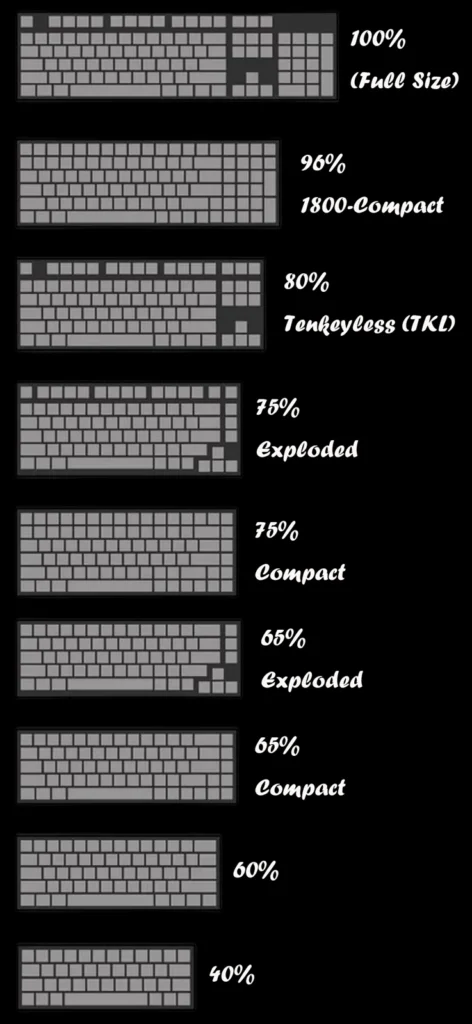
Keyboard Size and Keyboard Layout Are Not the Same Thing
People often use size, form factor, and layout as if they mean the same thing. They overlap, but they answer different questions.
- Size or form factor describes the groups of keys a keyboard keeps or removes: numpad, navigation cluster, function row, arrows, or number row.
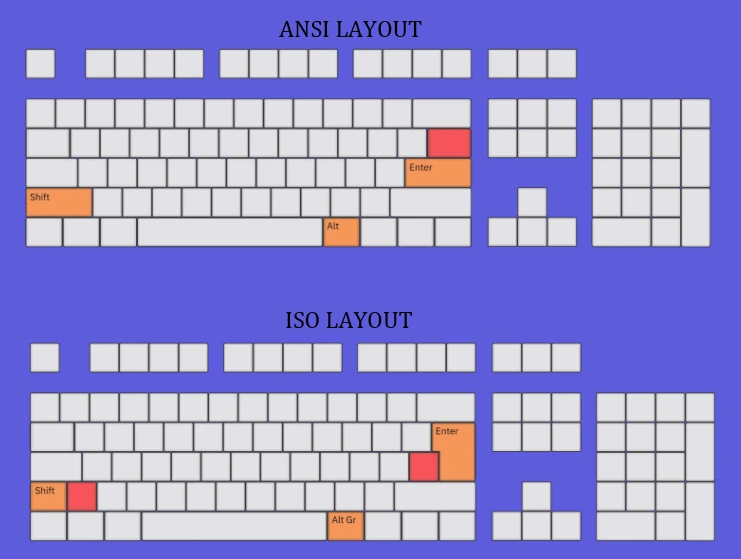
- Physical layout describes the shape and placement of keys. ANSI and ISO are the most familiar examples.
- Logical layout describes what the keys type, such as QWERTY or Dvorak.
A 75% keyboard can be ANSI or ISO. Two ANSI 75% keyboards can also use different right Shift or bottom-row sizes. That is why the percentage alone cannot confirm keycap compatibility. For a closer look at Enter and Shift key differences, see our ANSI vs. ISO keyboard comparison.
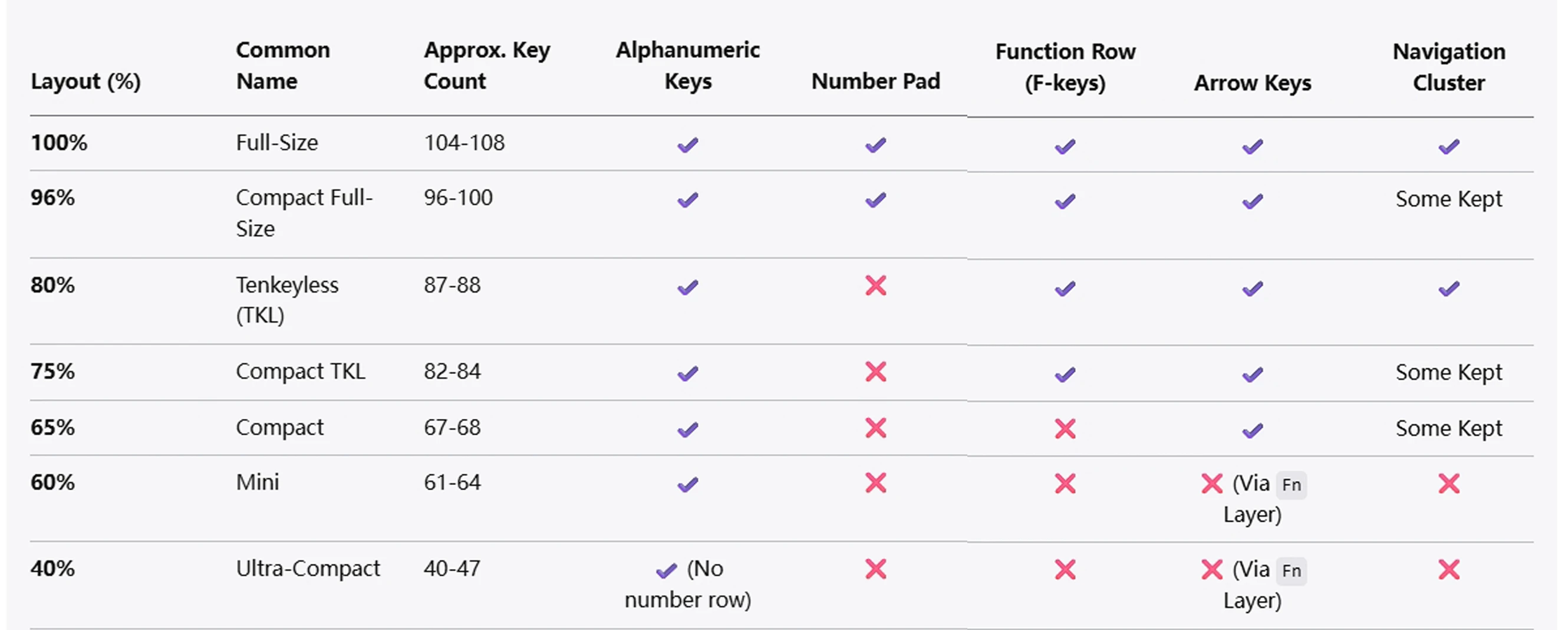
Mechanical Keyboard Sizes at a Glance
| Size | Usually keeps | Usually removes or compresses | Good starting point for |
|---|---|---|---|
| 100% full-size | Function row, navigation keys, arrows, numpad | Nothing | Data entry and familiar office use |
| 96% / 1800 compact | Nearly all full-size functions | Spacing between clusters | Numpad users with limited desk space |
| TKL / 80% | Function row, navigation keys, arrows | Numpad | Gaming and general-purpose use |
| 75% | Function row and arrows | Numpad and most empty space | Compact work and gaming setups |
| 65% | Number row and arrows | Function row and numpad | Compact setups that still need arrows |
| 60% | Alphanumeric block and number row | Dedicated arrows, function row, numpad | Minimal desks and layer users |
| 40% | Main letter keys and modifiers | Number row and most dedicated controls | Experienced users who customize layers |
These are families, not strict engineering standards. Manufacturers may move keys, add a knob, split a spacebar, or use a different right column while keeping the same percentage label.
What Each Keyboard Size Feels Like in Daily Use
100% Full-Size: Everything Has a Dedicated Key
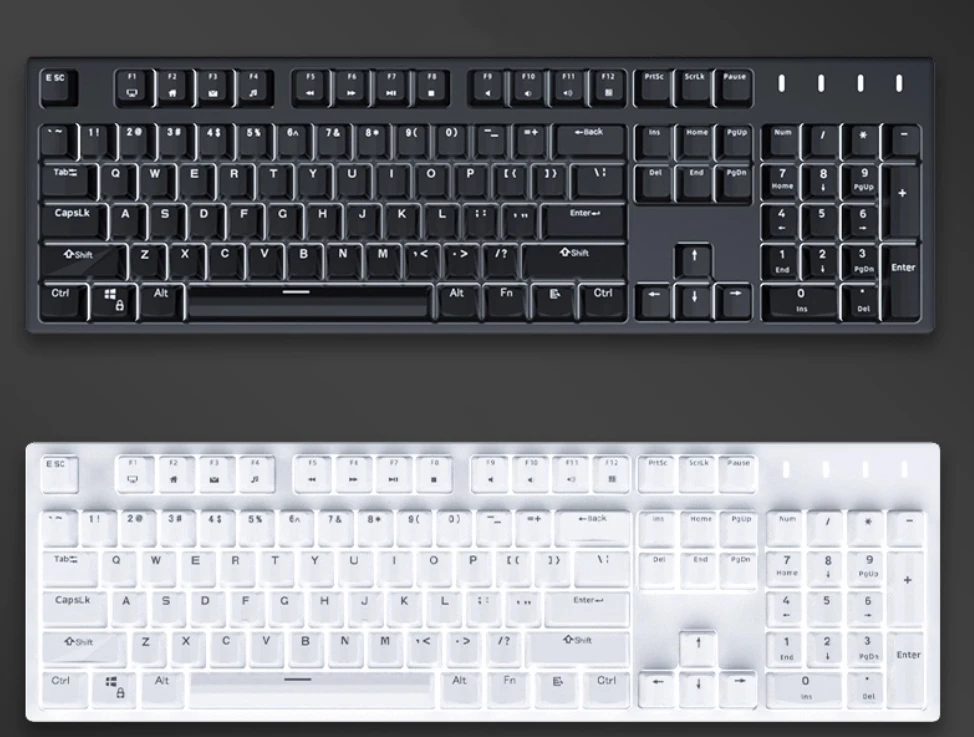
A full-size ANSI keyboard commonly has 104 keys. It keeps the function row, six-key navigation cluster, arrow keys, and a dedicated numpad. You do not need layers for normal office shortcuts, and the layout is familiar to almost everyone.
Choose it when: the numpad saves you time, several people share the computer, or you do not want a learning curve.
Think twice when: mouse space matters. The extra width can push your mouse farther from your typing position.
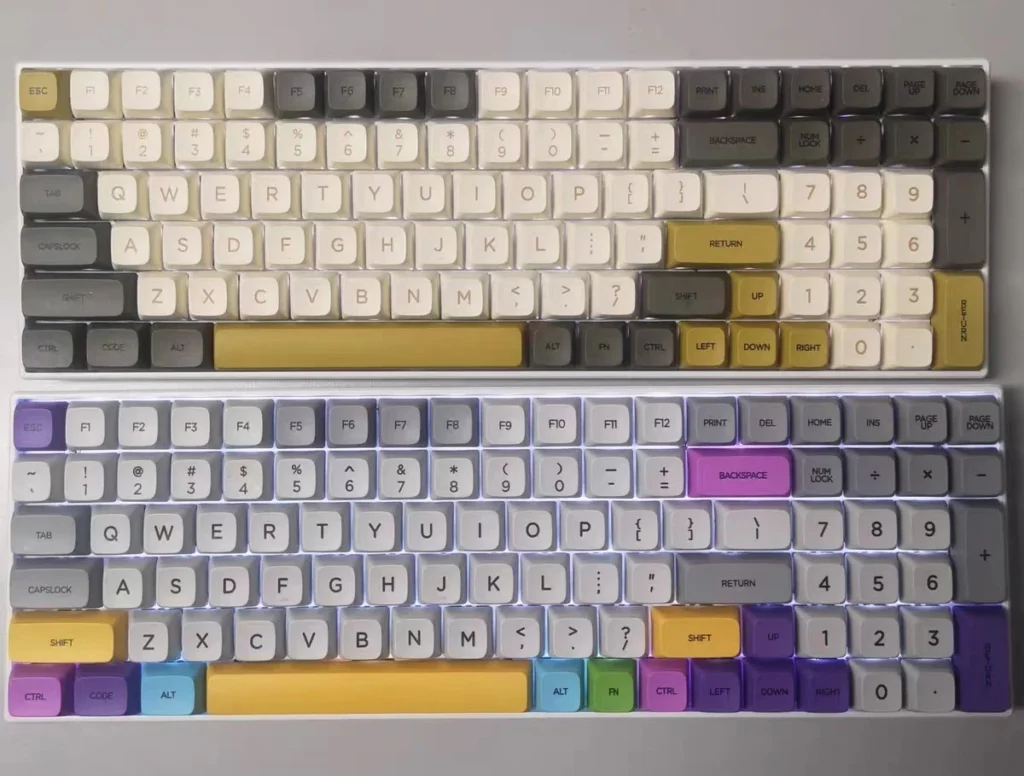
96% or 1800-Compact: Keep the Numpad, Lose the Gaps
A 96% or 1800-style keyboard compresses most full-size functions into a narrower case. It is a strong compromise for people who need a numpad but do not need the traditional spacing between every cluster.
Here is the catch: compact full-function boards often use less common modifier, numpad, or right-column key sizes. A large keycap set may include the necessary extras, but “full-size compatible” is not enough evidence by itself.
TKL or 80%: The Familiar Layout Without a Numpad
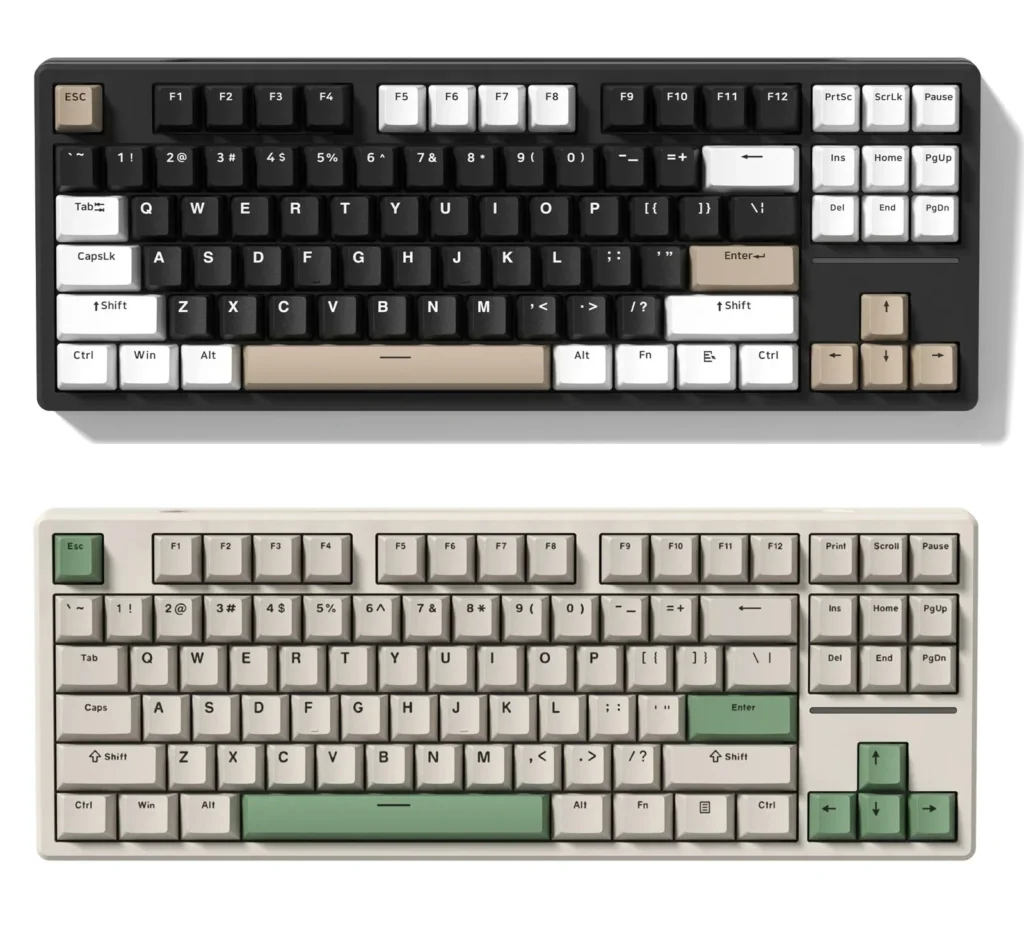
Tenkeyless, usually shortened to TKL, removes the numpad and keeps the rest of the familiar desktop layout. A common ANSI TKL has 87 keys. The separated arrow and navigation clusters make it easy to use without relearning shortcuts.
Choose it when: you want more mouse room but still use F-keys, Home, End, Page Up, Page Down, or dedicated arrows regularly.
TKL is also one of the easier compact sizes for keycap shopping because many sets cover its standard positions. You still need to confirm ANSI or ISO and inspect the bottom row.
75%: Function Row and Arrows in a Tighter Footprint
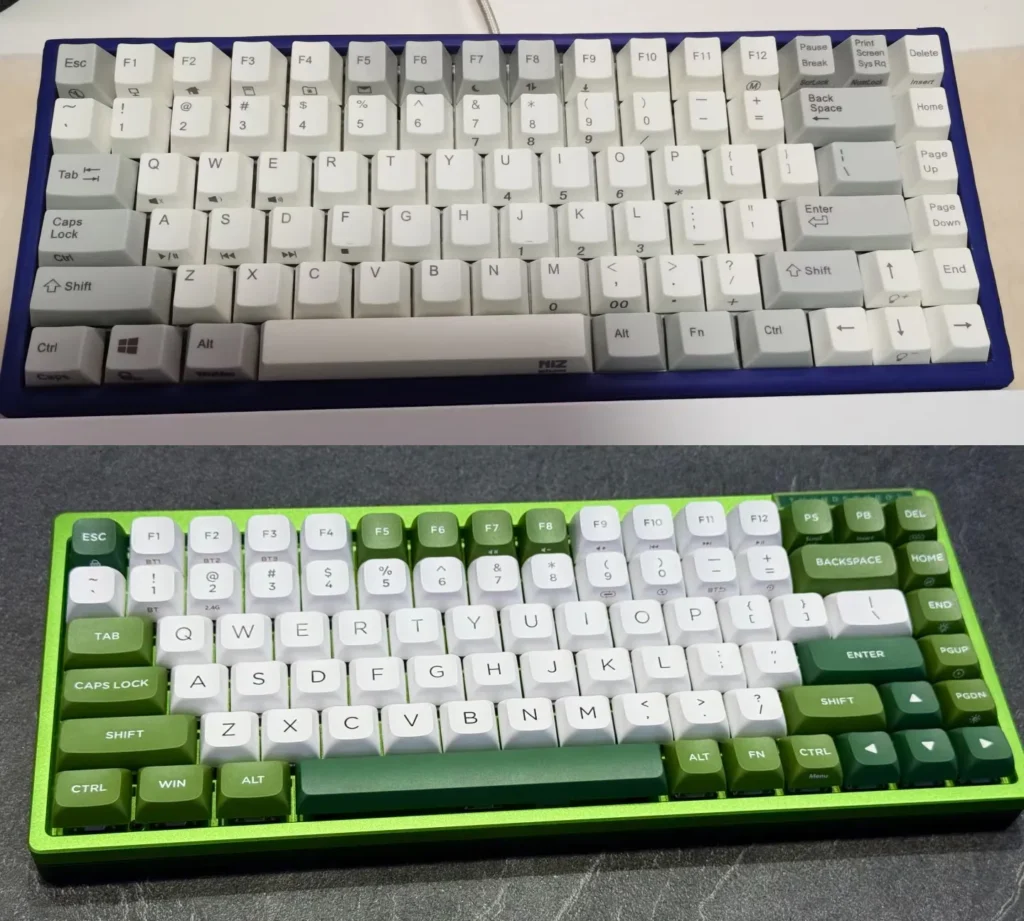
A 75% keyboard keeps the function row and arrow keys but packs them close to the alphanumeric block. It provides much of the everyday utility of a TKL in a smaller footprint.
The compact arrangement is useful, but this is where keycap compatibility starts requiring more attention. Many 75% boards use a short right Shift key and a narrow column of navigation keys. Read our 75% keyboard and keycap guide if this is the size you are considering.
65%: Keep the Arrows, Move the Function Row to a Layer
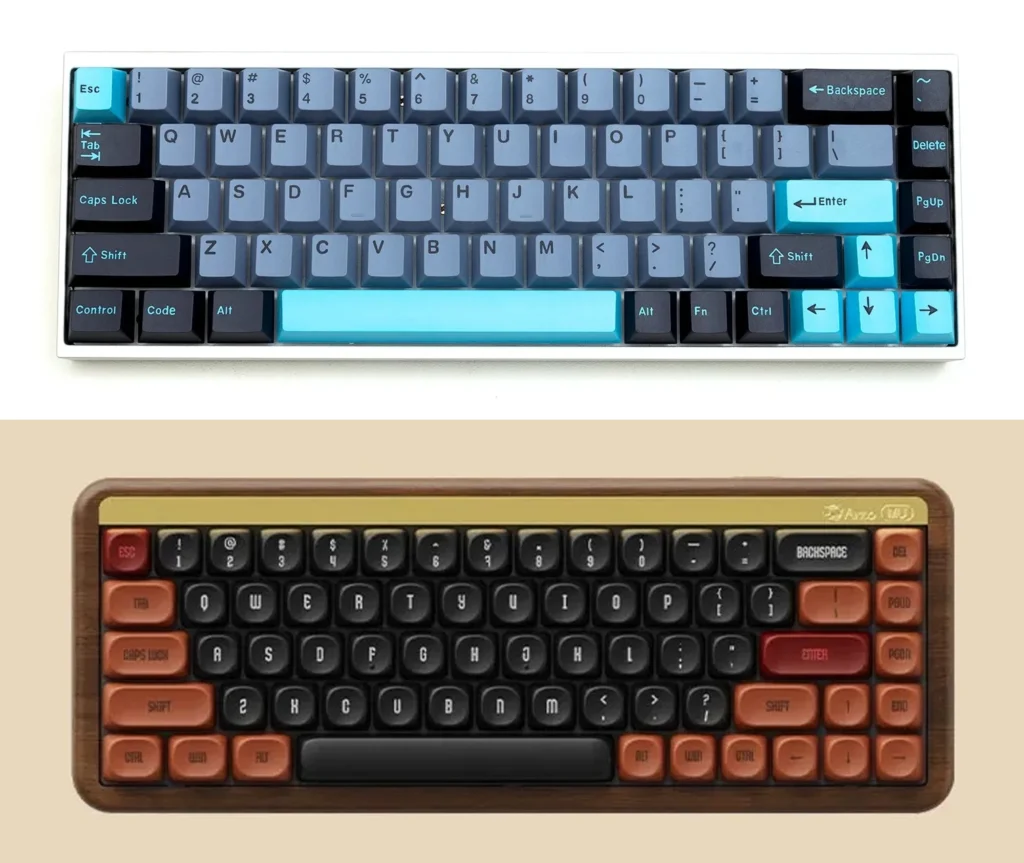
A 65% keyboard usually removes the dedicated function row but keeps arrow keys and a small group of navigation keys. For many people, that is the smallest layout that still feels immediately practical.
Choose it when: you value desk space and dedicated arrows more than one-press access to F1-F12.
Compatibility varies. Check the right Shift, bottom-row modifiers, right-side navigation keys, and spacebar before ordering a set.
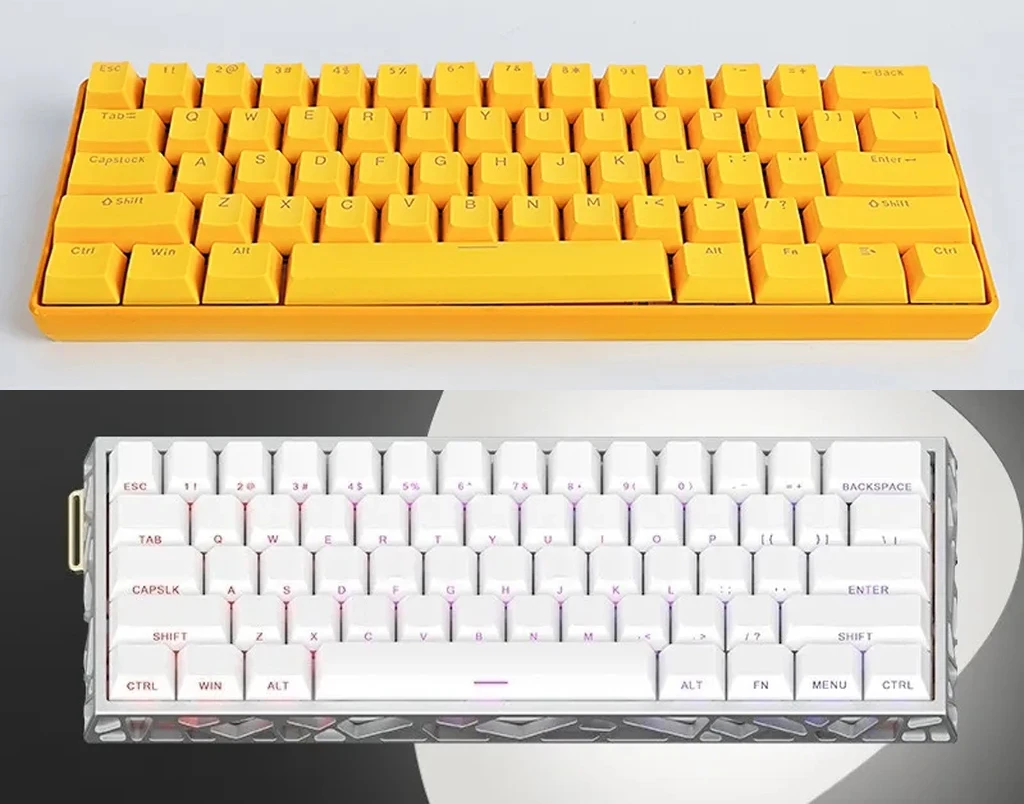
60%: Compact, Popular, and Layer-Dependent
A 60% keyboard removes the dedicated arrows, navigation cluster, function row, and numpad. Those functions still exist, but you access them through an Fn layer or programmed shortcuts.
The footprint is excellent for travel and mouse movement. The trade-off is not missing functionality; it is remembering where that functionality moved. If you constantly use arrows for spreadsheets or text editing, test a 60% layer layout before committing.
40%: A Custom Workflow, Not Just a Smaller Keyboard
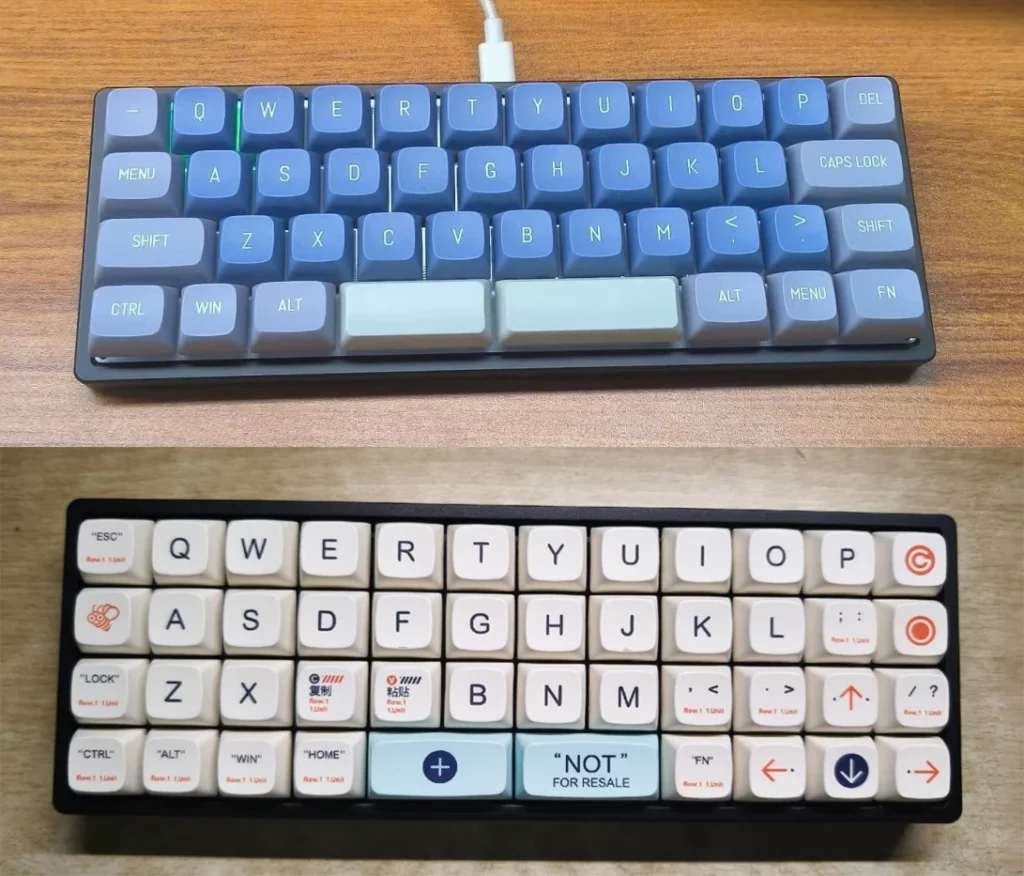
A 40% keyboard removes the number row as well as most dedicated controls. Numbers, symbols, navigation, and function keys move to programmable layers. QMK’s layer documentation shows how one physical key can perform different jobs on different layers.
This can reduce hand movement for someone who has designed a personal layout and built the muscle memory. For a first mechanical keyboard, it is usually more adjustment than benefit.
What About Alice and Other Ergonomic Shapes?
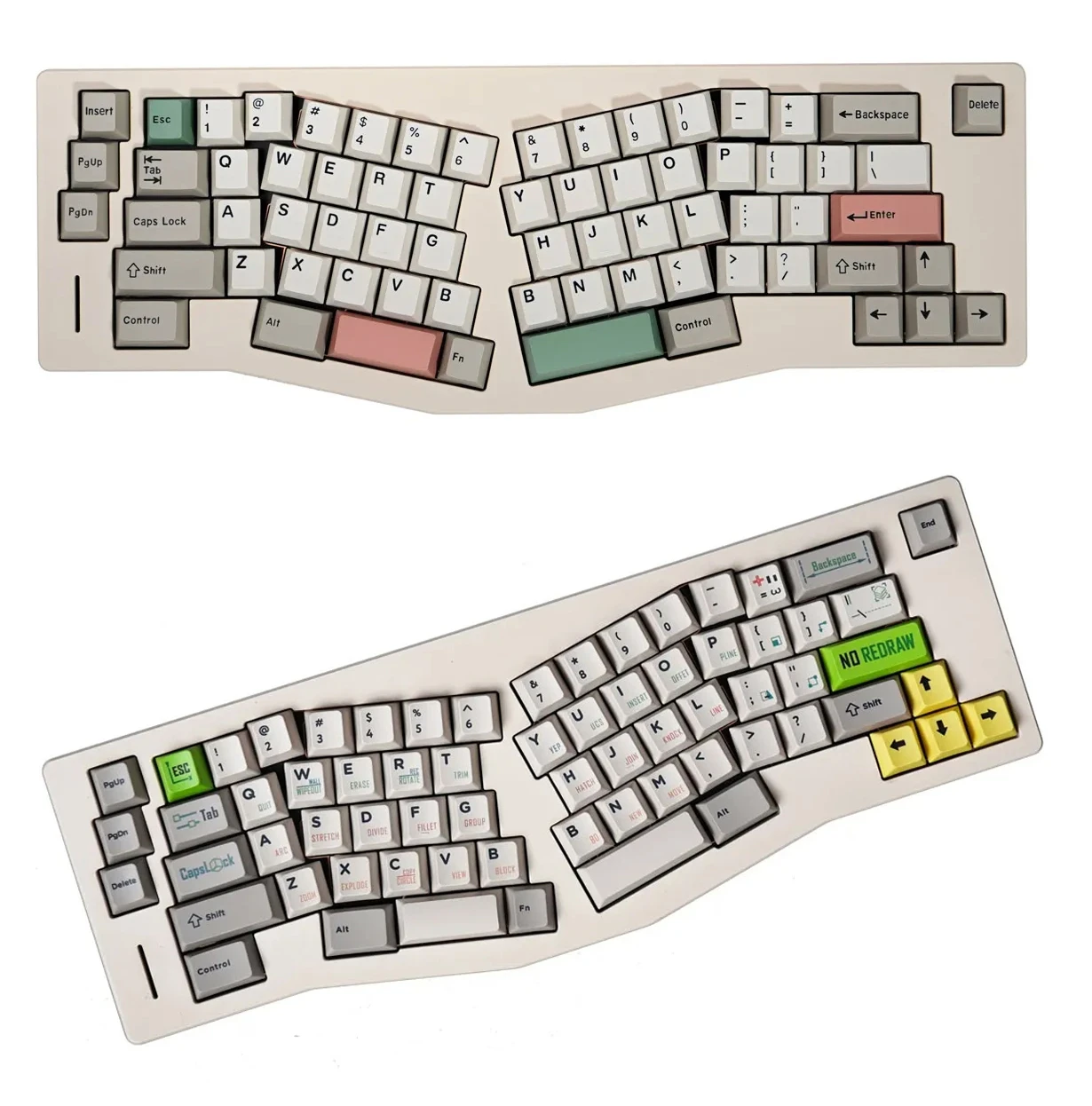
Alice-style, split, ortholinear, and other ergonomic designs describe shape or key arrangement rather than one fixed percentage. An Alice board can also be compact, but its angled halves and split key positions create a different compatibility question.
Do not assume a standard keycap set includes every split spacebar or extra B key needed by an Alice-style board. Compare the board diagram with the set’s complete kitting image.
Keycap Compatibility: Check More Than the Percentage
This is the part most keyboard-size charts skip. A set with enough keycaps can still be missing the one key size your board needs.
- Confirm ANSI or ISO. The Enter and left Shift keys differ.
- Check the right Shift. Compact boards often use a shorter right Shift than a standard TKL.
- Inspect the bottom row. Ctrl, Alt, Fn, and Windows/Command key widths can vary.
- Check the spacebar. Split and ergonomic boards may need multiple spacebars.
- Review the navigation column and numpad. A 75% or 96% board may need unusual row legends or key sizes.
- Match the keycap profile by row. Sculpted profiles can look or feel wrong when a key is placed on a different row.
Use the keyboard’s layout diagram and the keycap set’s full kitting image side by side. Our keycap compatibility checklist covers the process in more detail. When browsing Kawaii Keycaps sets, treat the listed key count as a starting point, not a universal fit guarantee.
Which Mechanical Keyboard Size Should You Choose?
- Choose 100% if the numpad and dedicated controls matter more than desk space.
- Choose 96% if you need a numpad but want a narrower board and will check keycap sizes carefully.
- Choose TKL if you want the safest balance of familiarity, mouse room, and keycap availability.
- Choose 75% if you use the function row but prefer a compact case.
- Choose 65% if arrows are essential but F-keys can live on a layer.
- Choose 60% if portability and mouse room outweigh dedicated arrows.
- Choose 40% only if designing and learning layers is part of the appeal.
If you are still undecided, TKL and 75% are the easiest starting points for most people. Both preserve common controls without taking up the width of a numpad. The final choice comes down to one honest inventory: which keys did you use today?
Frequently Asked Questions
Is a TKL keyboard the same as an 80% keyboard?
Usually. TKL and 80% commonly describe a keyboard with the numpad removed but the function row, arrows, and navigation cluster retained. Exact key counts and spacing can still vary.
What is the difference between a 96% and a 100% keyboard?
Both generally keep a numpad and most full-size functions. A 96% board compresses the clusters together to save width, which can introduce less common key sizes and positions.
Will a 104-key keycap set fit a 75% keyboard?
Not always. A 75% board may require a shorter right Shift, different bottom-row modifiers, or navigation keys with specific row profiles that a basic 104-key set does not include.
What is the smallest keyboard with dedicated arrow keys?
For mainstream layouts, 65% is usually the smallest common size that keeps dedicated arrows. Some 60% variants add arrows by changing other keys, so always inspect the exact board diagram.
The Practical Answer
Keyboard percentages are useful labels, but they are not promises. They tell you the general footprint and which key groups are likely to be present. They do not tell you every key size or guarantee that a keycap set will fit.
Choose the smallest board that keeps your frequently used keys easy to reach. Then check its exact layout before buying keycaps. That two-step decision is more reliable than chasing a percentage because it looks cleaner on a desk.