

Introduction
Welcome to the vibrant world of mechanical keyboards! Whether you’re a gamer seeking a competitive edge, a programmer optimizing your workflow, or a writer craving a superior typing experience, choosing the right keyboard is paramount. However, the sheer variety of mechanical keyboard layouts and keyboard sizes can be daunting for newcomers and even seasoned enthusiasts. What’s the difference between a Tenkeyless and a 75%? Do you really need a numpad?
This definitive keyboard layout guide is here to demystify the world of keyboard form factors. We will provide a comprehensive keyboard layout comparison, breaking down every major size from the traditional full-size keyboard to the ultra-minimalist 40% keyboard. By the end of this guide, you’ll have the expert knowledge needed to answer the crucial question: “What keyboard size should I get?” and confidently select the perfect layout for your desk and your needs.
Understanding the Fundamentals: Keyboard Size vs. Physical Layout (ANSI & ISO)
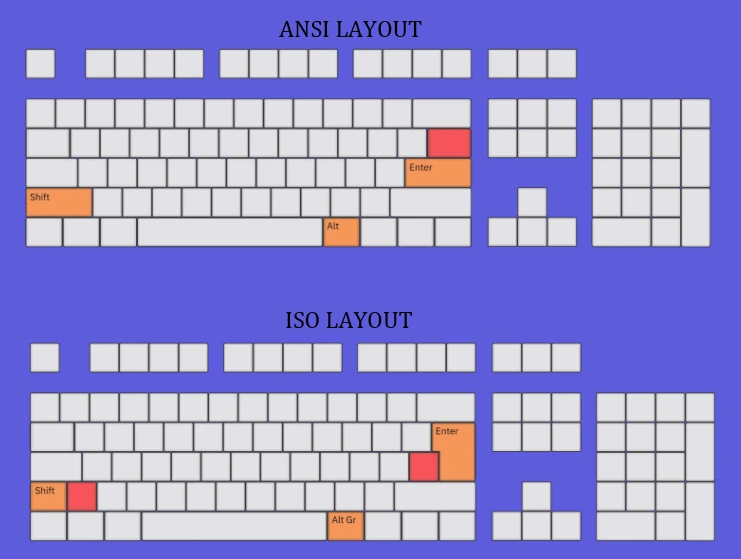
Before we dive into the percentages, it’s crucial to understand two key terms: size and physical layout.
-
- Keyboard Size (Form Factor): This refers to the physical footprint and the number of keys present, often expressed as a percentage (e.g., 100%, 75%, 65%). This is the primary focus of our guide.
-
- Physical Layout: This defines the shape and placement of specific keys. For our target audience in the US and Europe, the two most important layouts are ANSI and ISO.
-
- ANSI (American National Standards Institute): The standard in the United States, featuring a long, rectangular Enter key and a wide left Shift key.
-
- ISO (International Organization for Standardization): The standard in many European countries, distinguished by its taller, L-shaped Enter key and a shorter left Shift key with an extra key beside it.
-
- Physical Layout: This defines the shape and placement of specific keys. For our target audience in the US and Europe, the two most important layouts are ANSI and ISO.
Knowing whether you need an ANSI or ISO layout is an important first step, especially when buying keycaps. Now, let’s explore the different sizes.
The Comprehensive Keyboard Size Comparison: Finding Your Perfect Fit
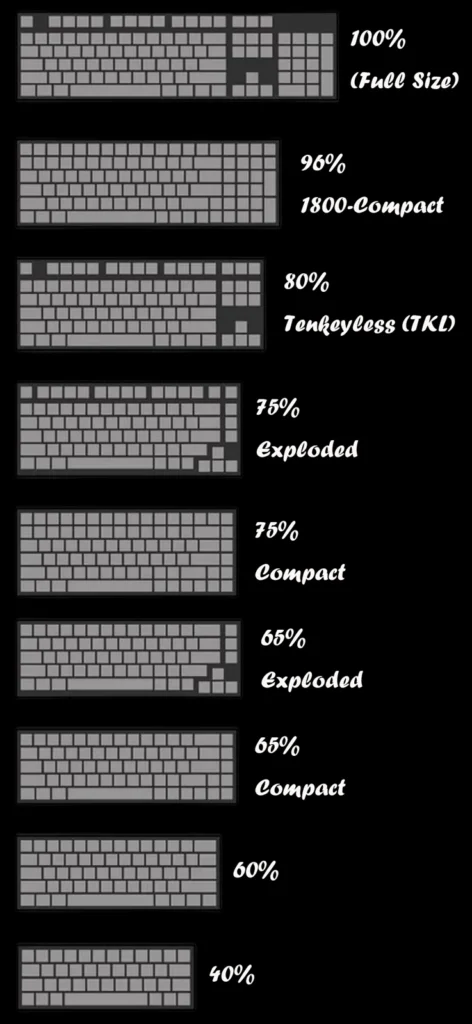
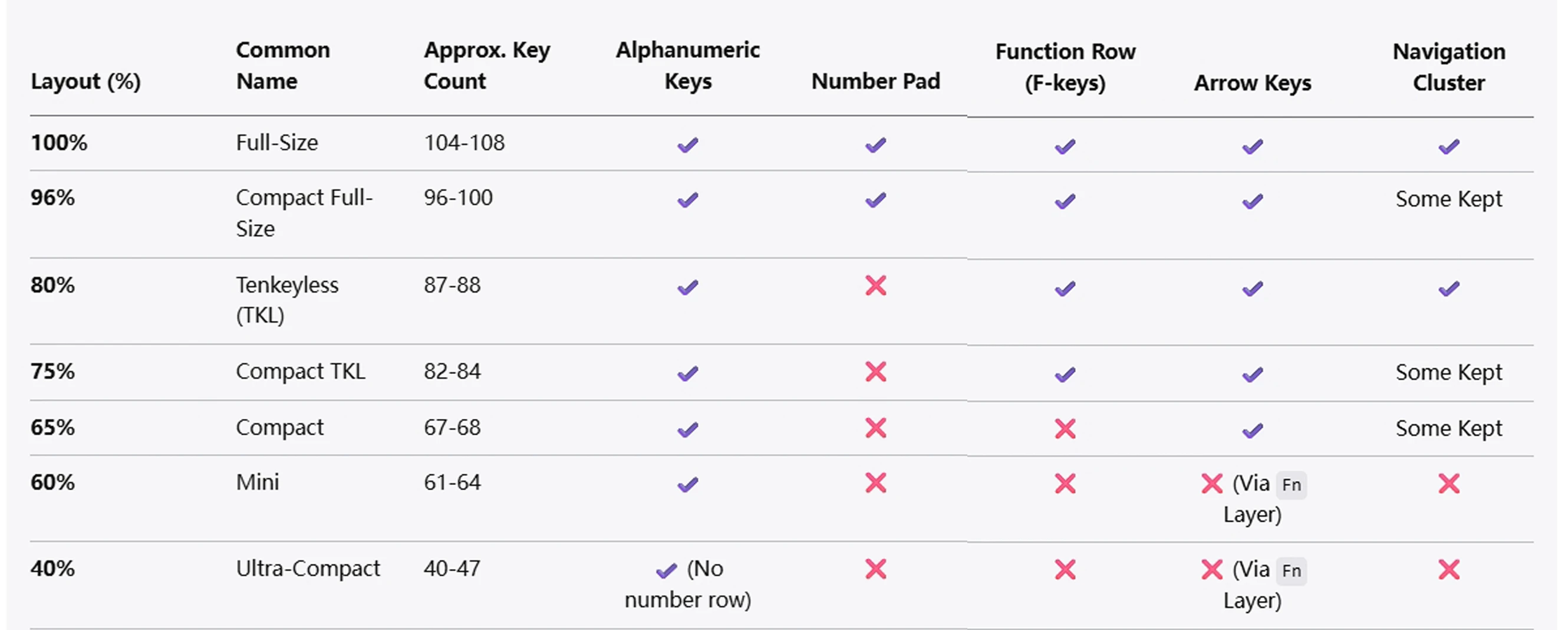
The percentage of a keyboard generally refers to how many keys it has compared to a standard full-size board. As the percentage decreases, the keyboard becomes more compact, typically by removing entire sections of keys.
100% (Full-Size) Keyboard: The Traditional Workhorse
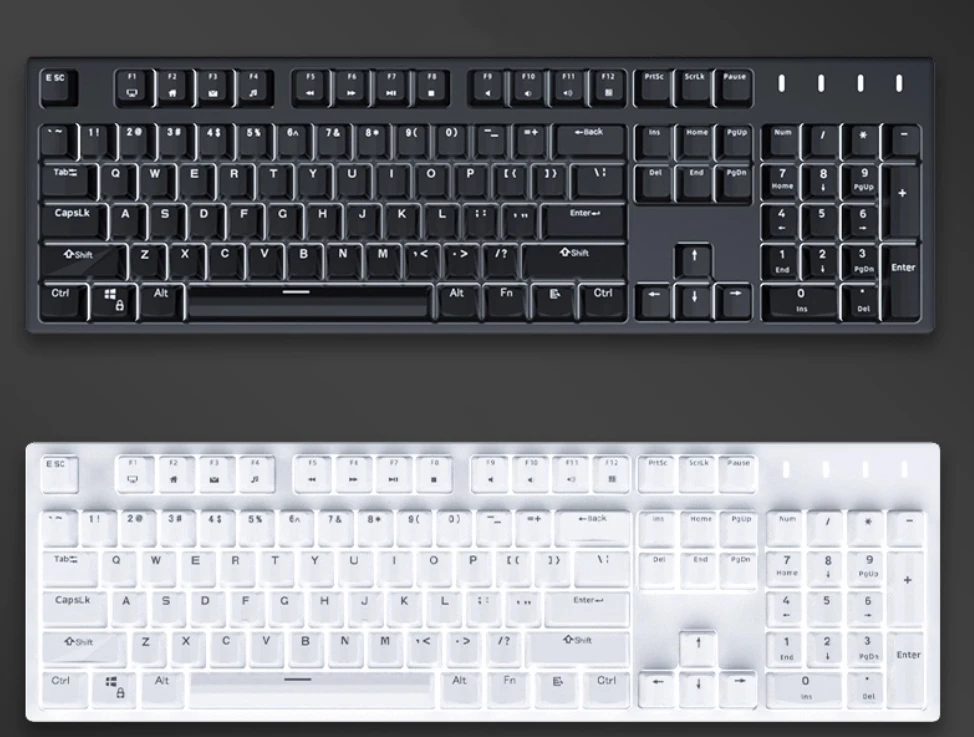
A full-size keyboard is the traditional layout that most people are familiar with. It includes the main alphanumeric cluster, a dedicated keyboard function row (F1-F12), a navigation cluster (Insert, Delete, Home, End, etc.), dedicated arrow keys, and a full numpad. A standard ANSI full-size board has 104 keys, while an ISO version has 105.
-
- Features: All possible keys in dedicated sections.
-
- Pros: No learning curve; everything is where you expect it to be. The numpad is indispensable for data entry, calculations, and financial work.
-
- Cons: Large footprint takes up significant desk space, forcing your mouse further away, which can be less ergonomic.
-
- Best For: Office professionals, accountants, data entry clerks, and anyone who relies heavily on the number pad.
96% / 1800-Compact: Full Functionality, Less Space
What if you want a numpad but need more desk space? Enter the 96% layout. This clever design keeps almost all the keys of a full-size board but squishes them together, removing most of the empty space between sections. The result is a compact keyboard layout that retains nearly 100% of the functionality.
-
- Features: Includes a numpad and function row in a compressed form factor.
-
- Pros: Offers a near-full-size experience while saving significant desk real estate.
-
- Cons: The compressed layout can take time to get used to and often uses non-standard keycap sizes, making customization more challenging.
-
- Best For: Users who need a numpad for productivity but want a more compact and tidy desk setup.
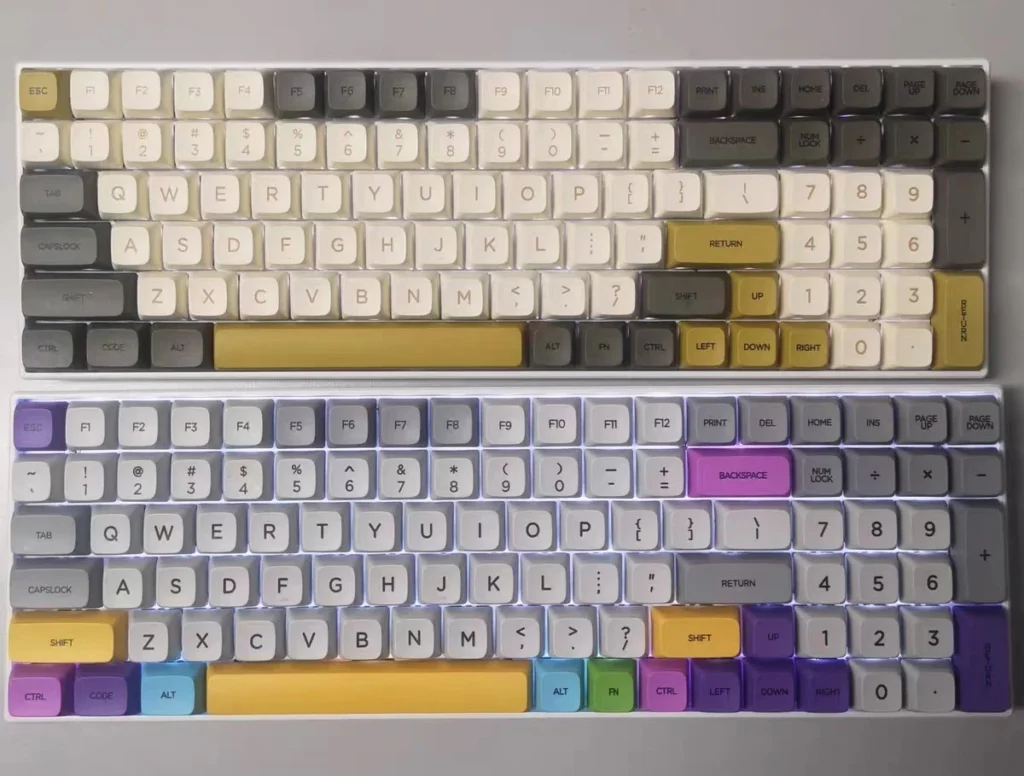
80% or Tenkeyless (TKL) Keyboard: The Balanced Champion
The Tenkeyless keyboard (TKL) is one of the most popular layouts for a reason. The 100% vs TKL keyboard debate is simple: a TKL is a full-size board with the entire numpad section chopped off. This results in a much more symmetrical and compact board (typically 87 keys on an ANSI layout vs. 104 keys on a full-size) without sacrificing the core typing experience.
-
- Features: Standard key layout minus the ten-key numpad.
-
- Pros: Frees up significant desk space for your mouse, which is a major ergonomic benefit for gaming and general use. It’s more portable than a full-size board.
-
- Cons: The lack of a dedicated numpad is a dealbreaker for some professions.
-
- Best For: Widely considered the best keyboard layout for gaming. Also perfect for writers, programmers, and general users who want a balanced, no-compromise layout.
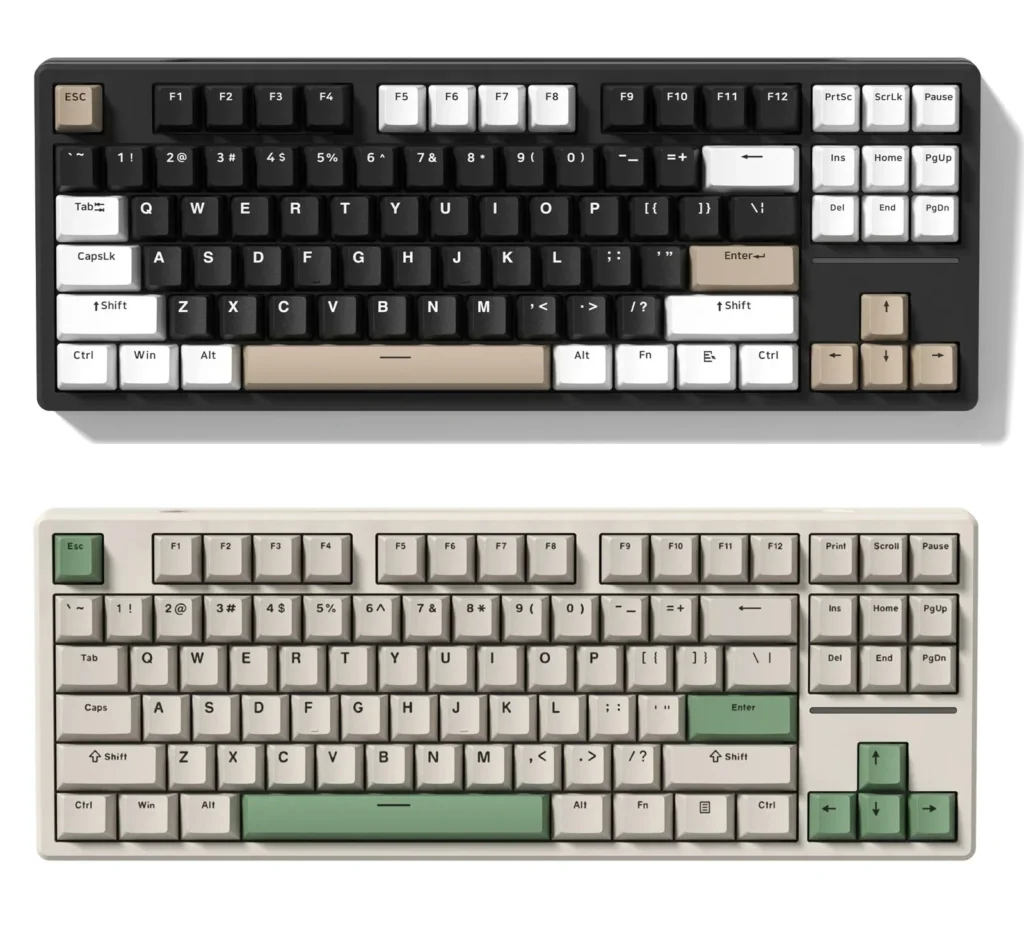
75% Keyboard: The Efficient All-Rounder
A 75% keyboard takes the TKL concept and compresses it further. It keeps the keyboard function row and arrow keys but arranges the navigation keys (like Del, PgUp, PgDn) in a vertical column to save horizontal space. The result is a highly functional yet compact board that is often no wider than a 65% keyboard.
-
- Features: A compressed TKL layout with a function row and arrow keys.
-
- Pros: Extremely efficient use of space, offering nearly all the functionality of a TKL in a much smaller package. Great for portability.
-
- Cons: The tight layout and often non-standard key sizes (like a short right Shift) can require an adjustment period.
-
- Best For: Laptop users (as it mimics many laptop layouts), minimalists who still need a function row, and mobile professionals.
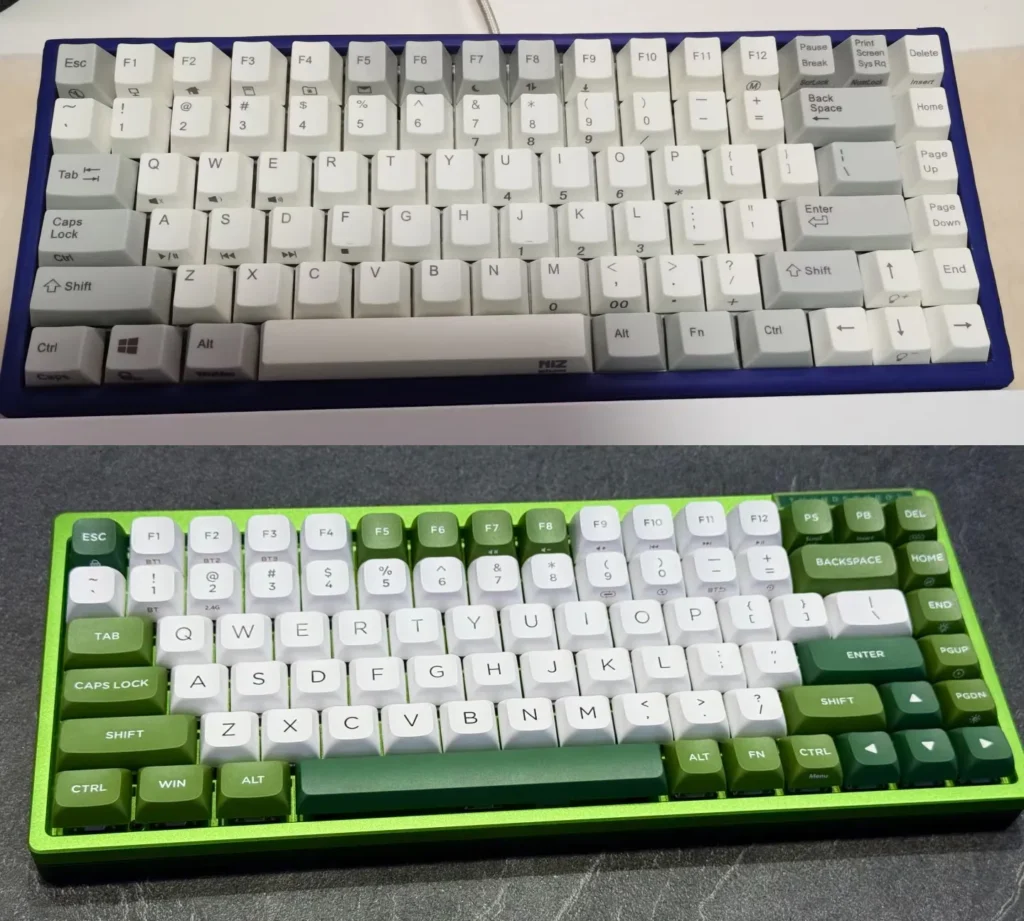
65% Keyboard: The Minimalist’s Sweet Spot
The 65% keyboard is a fan-favorite compact keyboard layout. It makes a significant cut by removing the keyboard function row entirely. However, its key advantage over the smaller 60% is that it retains dedicated arrow keys and a few essential navigation keys (usually Delete, Page Up, and Page Down).
-
- Features: No function row, but includes dedicated arrow keys and a few navigation keys.
-
- Pros: Achieves a beautifully compact and symmetrical aesthetic while keeping the indispensable arrow keys. It’s a fantastic balance of form and function.
-
- Cons: Accessing the F-keys (F1-F12) requires using a combination of the Fn key plus a number key (e.g., Fn + 1 = F1).
-
- Best For: Programmers and writers who value a clean setup but need dedicated arrows for navigation. It’s also an excellent and popular choice for gamers.
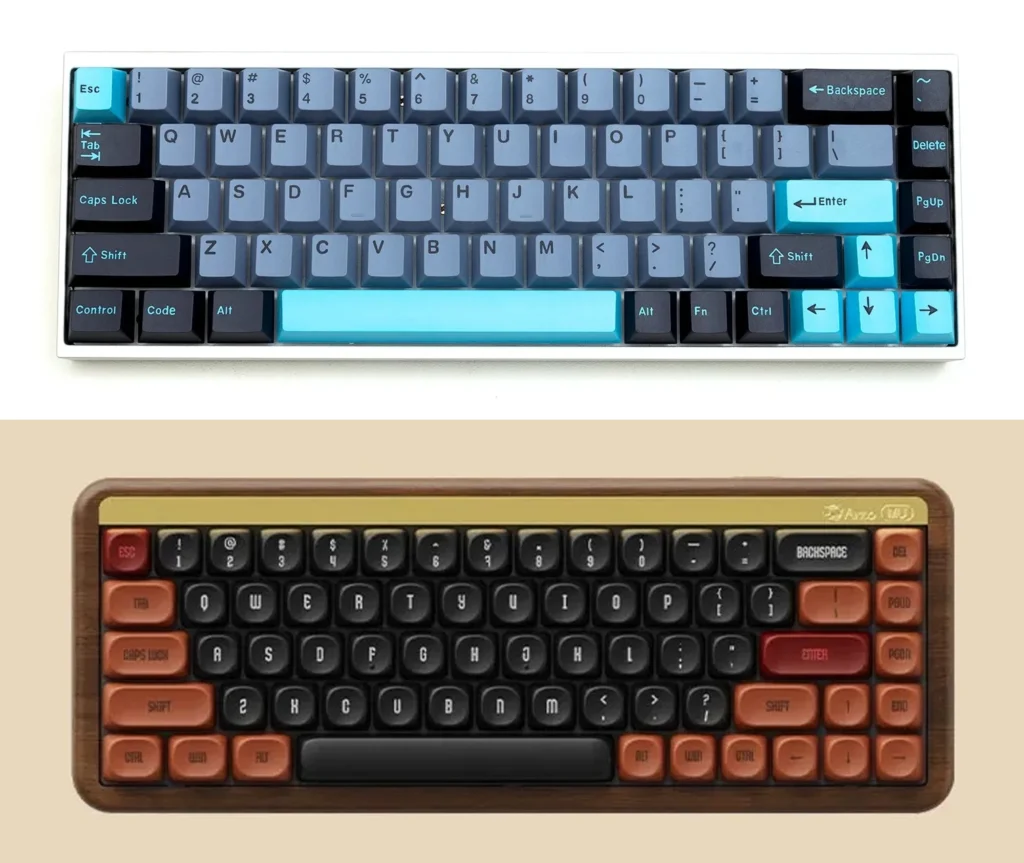
60% Keyboard: The Enthusiast’s Classic
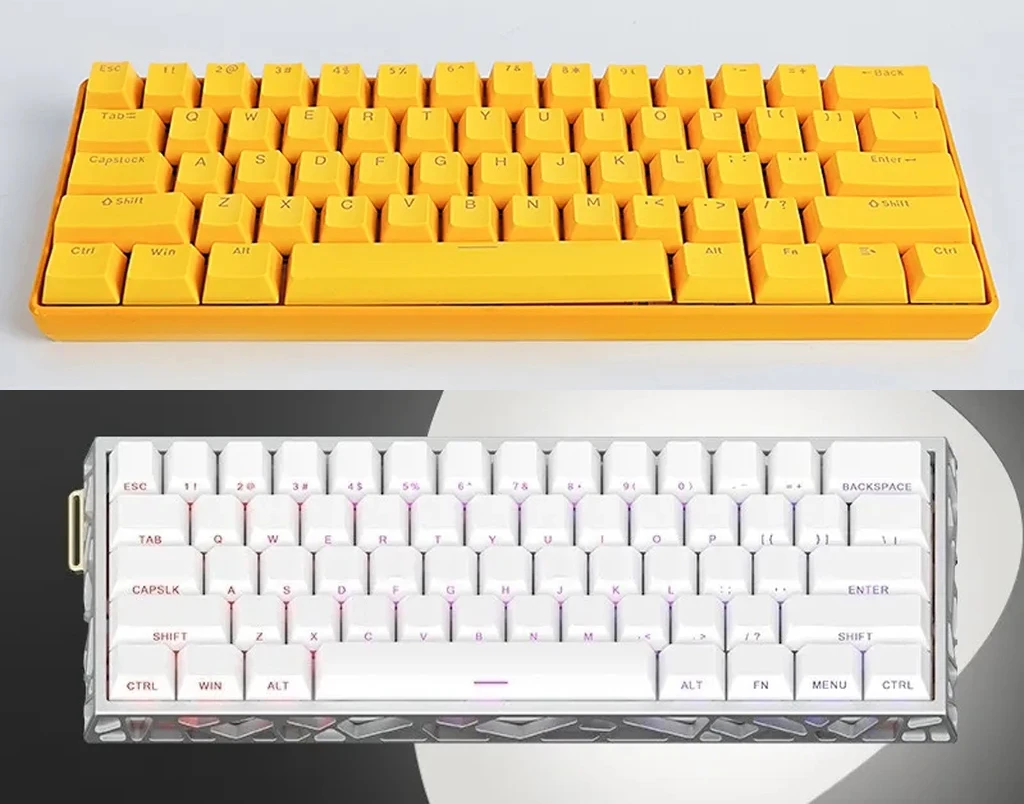
The 60% keyboard is the epitome of minimalism in the mainstream keyboard world. It strips the keyboard down to its absolute essentials: just the main alphanumeric block. There is no function row, no arrow keys, and no navigation cluster. All of these missing functions are accessed through “layers.”
-
- Features: Only includes the main alphanumeric keys, modifiers, and number row.
-
- Pros: Extremely compact, portable, and aesthetically clean. The heavy reliance on programmable layers offers a high degree of customization for power users.
-
- Cons: Has a steep learning curve. Accessing arrow keys and the function row via the Fn key can be frustrating for beginners or those who use them frequently.
-
- Best For: Mechanical keyboard hobbyists, hardcore minimalists, programmers who are comfortable with custom layers, and users who prioritize portability and aesthetics above all else.
40% Keyboard: The Pinnacle of Compact Efficiency
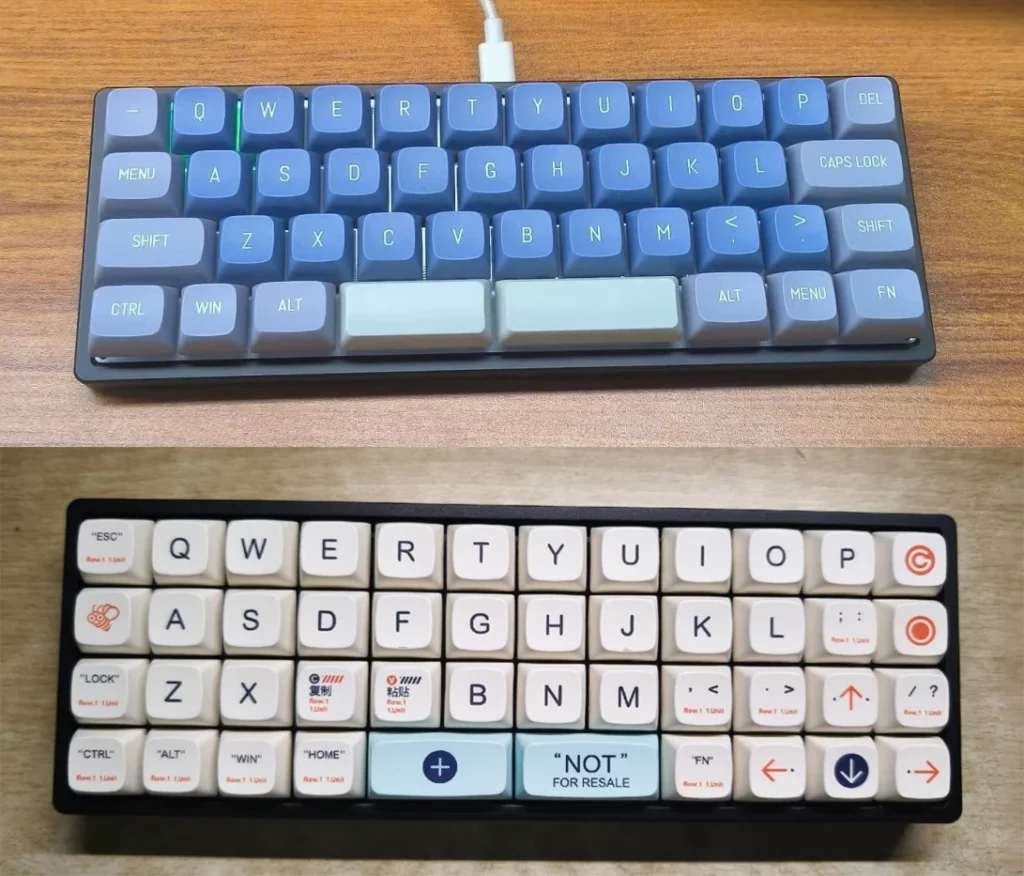
The 40% keyboard is where things get truly niche and fascinating. This layout takes the 60% design and goes a step further by removing the number row. Yes, you read that right. Numbers, symbols, and all other missing keys are accessed entirely through multiple programmable layers.
-
- Features: No number row, function row, or arrow keys. Purely the alpha keys and some modifiers.
-
- Pros: The smallest practical keyboard size, minimizing finger travel and maximizing desk space. It offers the ultimate in customization.
-
- Cons: Extremely difficult to learn and not practical for most users out of the box. Requires a significant time investment to build muscle memory for the layers.
-
- Best For: Dedicated keyboard enthusiasts, stenographers, and efficiency experts who are willing to completely remap their typing habits for a truly personalized and compact tool.
Beyond the Standard: Ergonomic and Other Layouts
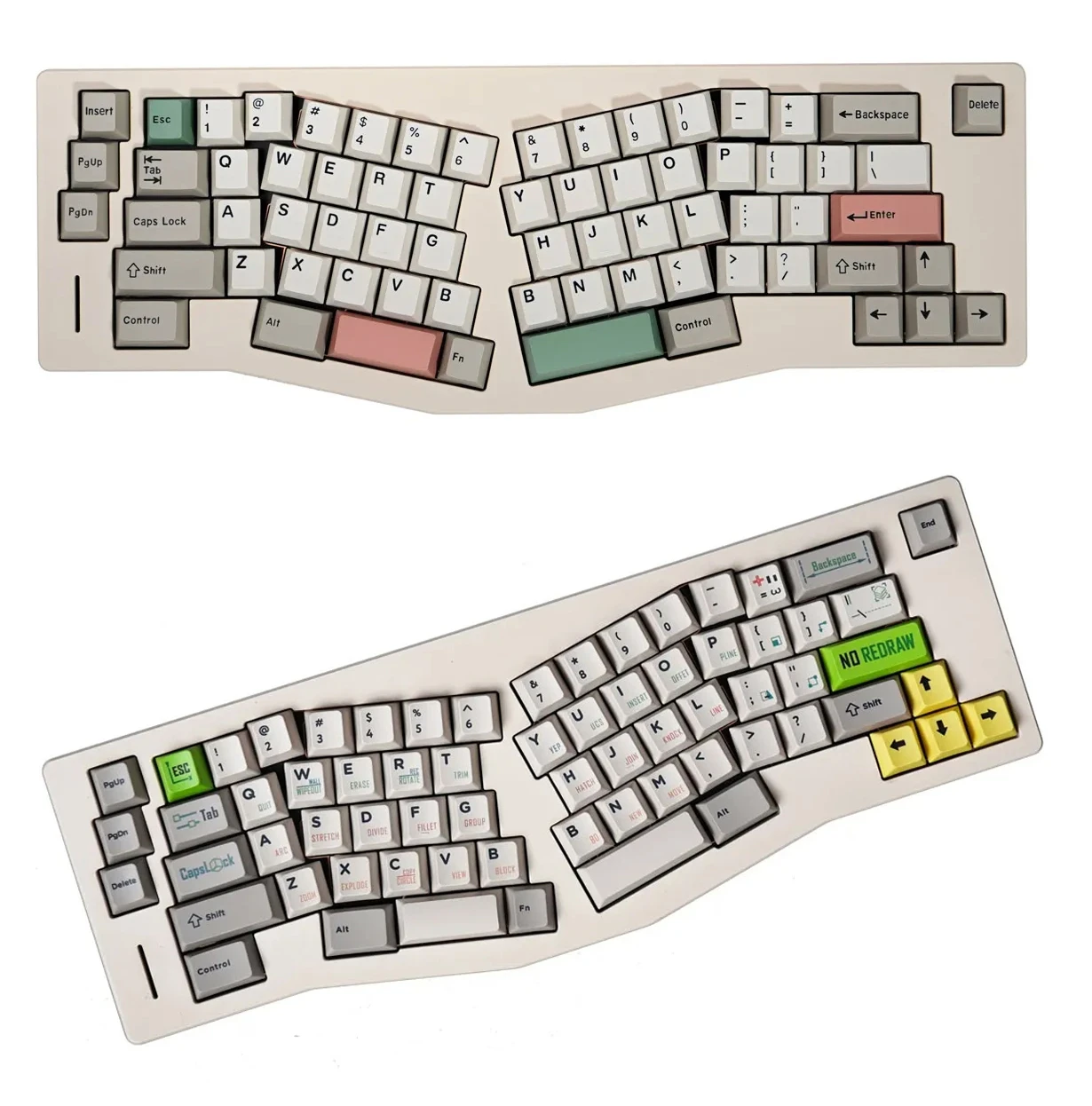
While the percentage-based layouts are most common, it’s worth noting other ergonomic keyboard layouts like the “Alice” layout. These keyboards split the alphanumeric keys into two angled halves, allowing your wrists to sit at a more natural angle, which can reduce strain during long typing sessions. They are a testament to the customizability and user-focused design within the mechanical keyboard community.
How to Choose the Right Keyboard Size for You
So, what keyboard size should I get? Here’s a quick decision-making guide based on your primary use case:
-
-
For Heavy Data Entry or Office Work:
Your best bets are the 100% or 96% layouts. The dedicated numpad is a non-negotiable feature for this kind of work, and the choice between them comes down to desk space.
-
-
-
For Gaming: The TKL (80%), 75%, and 65%
are the most popular choices. They all provide significantly more room for your mouse compared to a full-size board, which is crucial for low-sensitivity aiming. The choice between them depends on whether you need a function row or prefer an even more compact size.
-
-
-
For Programming and General Typing:
This is highly subjective. A TKL offers a familiar layout. A 75% is a great compact option if you use F-keys often. A 65% is a minimalist’s dream with dedicated arrows, often cited as the best keyboard layout for typing if you don’t mind using layers for F-keys. A 60% is for purists who are comfortable living in their function layers.
-
-
-
For Portability and Minimalism:
The 65%, 60%, and 40% layouts are your top contenders. They are easy to pack, look great on any desk, and free up the most space.
-
Conclusion: Your Perfect Mechanical Keyboard Layout Awaits
Choosing a mechanical keyboard is a personal journey, and the layout is its foundation. From the all-inclusive full-size keyboard to the hyper-compact 40% keyboard, every keyboard form factor offers a unique balance of functionality, ergonomics, and aesthetics. There is no single “best” layout—only the one that is best for you.
By understanding the pros and cons of each size outlined in this keyboard layout guide, you are now equipped with the expertise to make an informed decision. Consider your daily tasks, your desk space, and your desire for customization. Your perfect keyboard is out there, waiting to transform your typing experience.
Now that you’re an expert on mechanical keyboard layouts, we invite you to explore our full range of keyboards to find the model that fits your new-found preference. What’s your favorite layout? Share your thoughts in the comments below.